Code Editor
The Code Editor opens when you click a file in the File Explorer. It provides syntax-highlighted editing for Clingo/LP (Logic Programming) files.
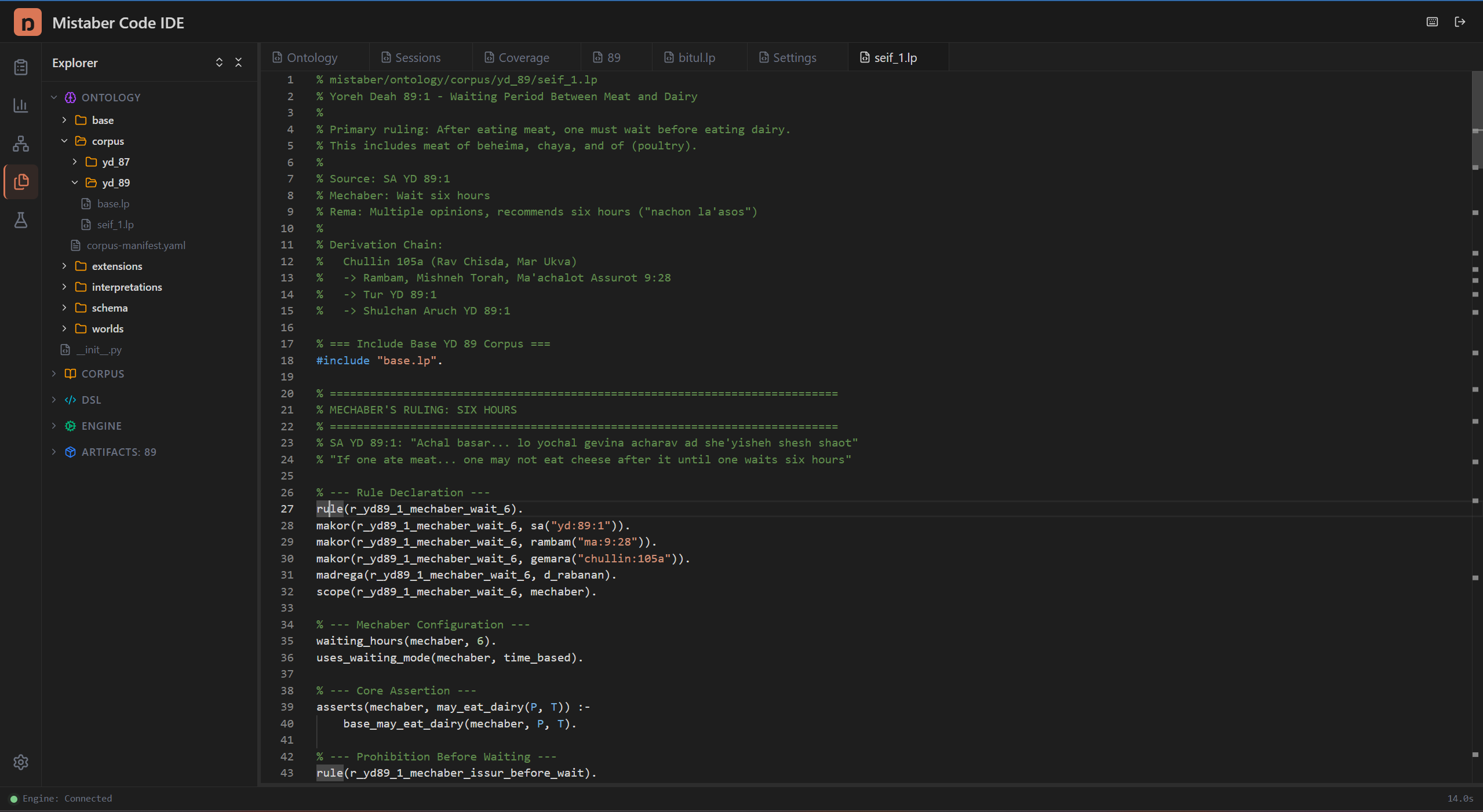
Editor Features
Syntax highlighting: The editor recognizes Clingo/ASP syntax. Keywords, predicates, variables, comments, and constraints appear in distinct colors.
File tabs: Each open file appears as a tab at the top of the Editor Area. Click tabs to switch between files. Close tabs by clicking the X on the tab.
Monospace font: The editor uses a fixed-width font for consistent alignment of logic rules.
Editing LP Files
When encoding halachic rules, you write LP files using HLL syntax. The editor supports:
- Rule definitions with head and body
- Constraint declarations
- Comment lines (starting with %)
- Multi-line rules
- Variable names (uppercase letters)
- Predicate calls with sort-typed arguments
Example of what you'll see in the editor:
% Meat and dairy prohibition
holds(issur(basar_bechalav, M), W) :-
    holds(food(M), W),
    has_property(M, meat),
    cooked_with(M, D),
    has_property(D, dairy),
    world(W).
Working with the Editor
- Open a file from the File Explorer or from your session's artifacts
- Edit the content directly
- Save changes — the editor auto-saves, and the Status Bar shows when the file was last saved
Tips
- Use the Ontology panel alongside the editor to verify predicate signatures while writing rules
- Check the Status Bar at the bottom to confirm your file saved
- Split your attention between the editor and the Terminal — use the terminal for compilation and testing